The Microsoft Surface Book Hybrid

What is happening in the world of computing. It seems as if many of the high-end brands that pave the way with new technology are building something that has already existed for decades. Do you know what it is? A Laptop. Can a Laptop ever be replaced by a Tablet? With how much money is being thrown into new forms of glorified Laptop / Tablet hybrids it seems not. Too much beating around the bush.

The Microsoft Surface Book Hybrid

It reminds me of when computers first came out, and we saw all types of strange contraptions and hideous designs. This also happened with mobile phones! That's not to say that the new Surface Book is ugly, it looks great, but it seems like we're going through a similar transitional stage where all types of things are being tried. Well, not just tried and tested behind closed doors, but actually sold to the public.

So, what do the newer Surface Books have. Well, there are many to choose from. The latest is the PRO 7 if I'm not mistaken (reviews are not too good). The PRO 4 fares better with end-users. They are all super thin and have touch screens. Yeah, like a Tablet.

The screen on the model I'm looking at is 13.5 inches (ca. 34 cm) in diameter and is a massive 6 million pixels! It has a "Clipboard" feature which is basically the screen detached from the keyboard, complete with stylus pen to make writing and graphic related tasks more personal and creative.

The new Surface Book splits totally in half. The newer Surface Books can also fold up on itself (Fulcrum Hinge), so it's basically a Tablet and Laptop combined. It comes complete with Windows 10 Pro, Core i7 Processor, USB 3.0, Glass Trackpad (glorified mouse), 12 hours battery life, and has the capacity of being able to have 16GB RAM and 1TB of data storage space. See the video above to be swept off your feet (removed).

So now we have both a Tablet and a Laptop (hybrid) in one unit. It's not really anything new. Fair enough it looks great and is super powerful, but when are we going to see something really revolutionary.

Can Tablets take the place of Laptops? As the owner of a Tablet blog you would probably expect me to say yes, but the answer is no. Laptops will be made better, or with more power and a few quirks, like you are basically seeing here with the new Surface Book, but never eradicated. Not for the next few decades anyway.

Neocore N1 Tablet Review

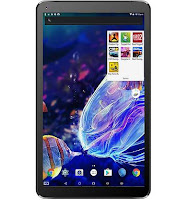
N1-ReviewNeocore N1 Tablet Review. The Neocore N1 10.1" (2019 model) appears to closely resemble Neocore's E1 model, which has been out for a number of years now. Don't worry, that's a good thing. Although it's not quite on the same level as the E1 in terms of overall specification, it does share many of the same features. One of those being a real glass screen.

To make up for what the N1 has slightly less of when compared with the E1, the price is slightly lower to reflect the differences. One of the best things about Neocore tablets is how stable they are. They are very reliable and offer superb value for money. Now, on to the quick review. The new Neocore N1 is a strange, mixed bag of tricks, combining some great features with a few that raise an eyebrow or two.

Some of the good features include: Great build quality for the price, snappy Quad Core Processor, GPS, Bluetooth, twin speakers, 1GB RAM, mini HDMI port, Micro USB and an excellent battery life. Android 8 (Go edition - much more efficient for devices running small amounts of RAM) comes pre-installed. This may not be the latest operating system, but it is very stable, fast, and seems to run extremely well with the framework of this device.

It's fairly slick for only having 1GB of RAM. The N1 can hold its own where multi-tasking is concerned, so it makes a good purchase for the day-to-day basics like browsing the Internet, checking emails, Kindle, YouTube, catch up TV and playing games to a certain extent.

Read reviews on the official Neocore website for this model. Or check out the latest E2 model that's just been released here [November 2021]. The specification is better than all previous models.

Just be aware that while it can handle low to medium resource demanding games (it has a Mali- PowerVR GE8300 Graphics Processor), be careful running any overly demanding, power-hungry games, as they will most probably slow the system down and cause some annoyance.

Like the E1 [Latest E2 model here], the N1 also has the ability to hold a big amount of extra storage space via the SD card slot. The new, now older E1 (review) can hold up to 512GB [E2 holds 1TB], and the N1 can hold up to 400GB of additional storage space. The back of the device is more sticky / grippy than the usual smooth backed examples. It's been rubberized, meaning the chances of dropping it are lowered considerably.

While the 1024x600 screen is not terrible by any means, being an updated model (2019) it has been kitted out with a nice, sharp IPS display. The older N1's had a rather standard screen resolution, where the quality is still good, but nothing spectacular.

And needless to say, without IPS, viewing the screen from different angles can provide quite poor visibility, with the washing out of colours and definition. Thankfully the 2019 model does have IPS.

Again, a "New" model really should have come with more than 16GB of internal storage space. That's all this model comes with. Thankfully, as mentioned above, it does have the feature to add much more space (up to 400GB). But, because of its minute 16GB, the purchase of a memory card will be needed almost instantly to prevent running out of space (10GB - 11GB free).

This is an extra expense that some people might not be happy to shell out for straight away. Going on current trends, whether the tablet comes with 16GB or 32GB, most people do purchase a memory card when buying their tablet.

So, to some people this might not be that much of a big deal. Like on many tablet devices, the speakers are a bit tinny. This one suffers from the same issue. The camera is listed as HD quality, and it's a damn sight better than the usual grainy camera quality we see on so many devices in this price range. It doesn't really look like true "HD".

Instead it seems very similar to the standard quality we see on devices one or two price jumps above this. Although, make no mistake, it's certainly not better than the average iPhone or Samsung Galaxy, but its good enough to notice a difference from the usual laughable quality we see for this type of money.

Taking the price into account, this mixed bag of some good and some bad is to be expected. There has to be a bit of a compromise in some areas, and it's up to the potential buyer to make the final decision on whether they can do without, or work around certain aspects that may be lacking.

It really depends on what's more important to you. Where reliability is concerned, you're chances of getting sent a faulty product are minimal with Neocore as they have impressive quality control.

If you do happen to receive a product that has a problem Neocore really put the customer first and offer an excellent two-year warranty should anything go wrong. You won't find a better warranty deal anywhere else for this kind of money. An exception is made with the Alba 8 Inch 16GB being sold over at Argos. Most other competing brands only offer 1 year.

Although it should be noted that some customers have claimed the total duration of the warranty does not fully cover the battery, and that the batteries' lifetime is only covered for 6 months. These comments were left some time ago, so that could have changed by now.

If you want a solid, reliable performer for little money, and are prepared to give a pass to the compromises talked about above, the new N1 is an excellent choice for those on a tight budget. Issues with any model are never totally eliminated, but like with the brand Fusion5, problems seem to be much less frequent with Neocore tablets. There is the choice between buying a brand new or refurbished N1. The price difference is minimal, so brand new is the best choice.

Wacom Cintiq 13HD DTK-1300 Interactive

Wacom has barely managed to cling on to its position as the chosen graphics tablet brand for artists and designers in the past couple of years. Its dominance has been seriously challenged by the arrival of the iPad Pro, with its uber-luxe display and larger screen. Clubbed with the immensely popular Apple Pencil, artists and designers were flocking in droves to it. But the Japanese manufacturer has turned the table of late with a slew of new and impressive products in their range that was for a long time dominated by the obsolete Cintiq 12WX and the mundane Intuous 5.


At the forefront, is its smallest and most compact offering, the Cintiq 13HD Interactive. With a form factor that borders on tablet turf and a bunch of other features, (including a touch screen full HD display) that manages to impress even Apple aficionados, the Cintiq 13 HD can easily be termed Wacom’s most promising offering in the past few years. Here’s our Wacom Cintiq 13 HD review that puts this swanky new design tablet to the test and answers the most important question that users may have. Does it justify the high price tag?


Sleek and practical


At first glance, you can’t help but notice the similarity of the Cintiq 13HD to the Wacom Intuous. It is noticeably smaller but retains the same all-black matte casing and the set of express keys on the left. The keys are slightly smaller too but have a more tactile feel to it. They have the same soft veneer finish which provides some much-needed respite for the fingers after a long and exhausting design session. You can customize the keys and set shortcuts for frequently accessed tools and functions, which makes life simpler, especially with repetitive tasks. On the opposite side of the control panel, there is an LED indicator light and the connectivity ports.

In the center, is the beautiful semi-gloss LED display, which is pen enabled by the way. It is approximately 13.3 inches when measured diagonally and weighs a pleasant 2.65 pounds, which translates into easy portability unlike its larger brethren, the beefy Cintiq 24HD Touch.


On the connectivity front, you have a USB 2.0 port and a cable jack with a uniquely designed cable that borrows the 30 pin connector from Apple’s 13HD on one end and splits into HDMI, USB and power adapter connections on the other end. If you are a new gen Mac user or Laptop user with a Display Port output, then that’s an indication that you’d need to invest in a converter cable.

The package also includes the stand with multiple viewing angles. You can use the slots for 22, 35 and 50 degrees or even keep it flat. The Cintiq 13HD stays rock steady allowing the artist to work to their comfort.


Bright and Sharp display with excellent responsiveness


The standout feature that makes the Cintiq 13HD a desirable proposition for artists and designers is the semi-gloss display with a 1920x1080 resolution in full HD. With 16.7 million colours and 250 cd/m2 brightness, it offers the perfect bright surface with a gamut of viewing angles. Irrespective of whether it is exhaustive design work or cumbersome photo editing, the colours pop out and the razor sharpness ensures precision.

The Pro Pen is Wacom’s answer to the Apple Pencil and it really shines with its pressure sensitivity (2,048 levels). Wacom has given the pen a much-needed external makeover. It boasts of a sleek carrying case, a dual tone external casing with a hint of chrome. Performance wise, there is minimal lag between the pen input and the cursor responsiveness.

The express keys with the frequently accessed shortcuts, the radial menu with one-button access to eight different actions and the tilt sensitivity of the Pro Pen speed up your drawing. While it is not nearly as popular as Wacom, it would be unfair not to mention the Artisul D13, which nearly rivals the Cintiq HD 13 in performance and beats it hands down in the price bracket.


What I liked the most about it

  • Sleek and compact form factor
  • 13 inch (diagonal) LED display with full HD 1920 x 1080 resolution
  • Quick access shortcut express keys which are fully customizable
  • Detachable stand with preset viewing angled slots
  • Dedicated home button
  • Pro Pen with 2,048 levels of pressure sensitivity for both nib and the eraser
  • Excellent viewing angles


What could have been better


Despite being one of the most ingeniously designed offerings in recent times from Wacom, we did find a few nits to pick with the Cintiq 13HD. The most important one would be the lack of wireless connectivity. Considering the money outlay, staying tethered to the laptop or the mac feels limited. Furthermore, if you like to move about as you draw and are habituated to lift and turn the device, the tablet disconnects occasionally as the 3-in-1 cable connection is a tad weak. While this is not a major flaw, it does mar the experience of a seamless workflow.

Looking for something a bit bigger? Take a look at one of Wacom's newer models. The Wacom Cintiq 16.


Verdict


With a super bright display, excellent resolution and Wacom’s Pro Pen, the Cintiq 13HD is an excellent package. Is it worth the price tag? It would be fair to say that it is. With the portability of a tablet and Wacom’s durability, you’d be hard pressed to find a better performing graphics tablet at this price point.

Trending